WoW ForeverAnnouncements
First Login in WoW Forever: Classic or Enhanced Preset, HD or SD Models
The first time you log in to WoW Forever, before you even pick a ruleset, the game asks you to choose an Experience Preset: Classic or Enhanced. Blizzard explained the choice in its starter guide for new players on October 28 and its recap for returning players on October 29. Here is what each preset turns on, how character models work, and what to do before November 4.
- Announced:
- Published:
- min read
- 3 min read

Classic or Enhanced: the first screen you see
On your first login, WoW Forever asks you to Choose Your Experience Preset, before the ruleset and before character creation. A preset is a set of starting settings, not a lock: you can switch it later under System → Preset in the Options menu, or change any single setting. The screen only appears that first time.
| Setting | Classic | Enhanced |
|---|---|---|
| Character models | Standard Definition (SD) | High Definition (HD) |
| Quest points of interest and objective areas | Off | On |
| Combined bags | Off | On |
| Transmog | Off | On |
| Default movement keys | Turn the camera | Strafe |
| Screen layout | Classic | Centralized |
Classic is the closer match to the original game: simpler visuals, fewer modern interface features and less automatic guidance. Enhanced has higher visual fidelity and more of the interface switched on, and it's the one Blizzard suggests if you aren't sure.
HD or SD is chosen per character
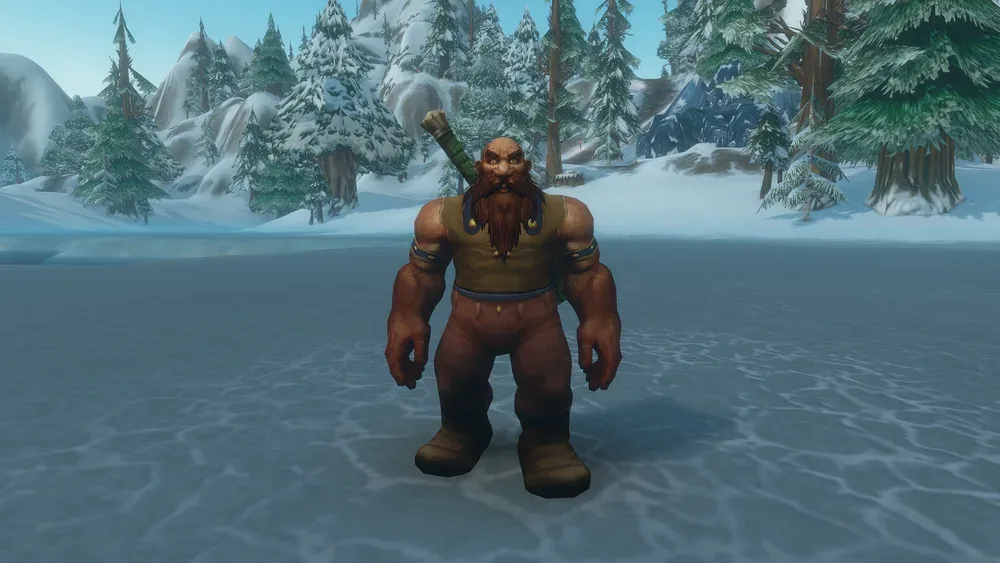
Separately from the preset, every new character can use HD or SD models and animations. HD has more detailed models and updated visuals; SD has the look of the original World of Warcraft. The choice changes only appearance, never abilities or progression, and you can switch later in the Options menu or at a Barbershop.
Then a ruleset and a two-part name
After the preset comes the ruleset: Normal, PvP, Roleplay and Roleplay-PvP at launch, with Hardcore later. Characters can group, join guilds, run dungeons and raid only with players of the same ruleset and faction, so agree on both with your friends first. Every character also has a first and a second name, and only the combination has to be unique in your region. WoW Forever Name Reservation Opens October 27, With a New Roleplay-PvP Ruleset covers both in detail.
What's new if you're coming back
WoW Forever is set in the original game's early "Year 1", before Kazzak reopened the Dark Portal, and expands the level 1–60 world rather than moving past it. Blizzard's recap for returning players highlights:
- Six new race and class combinations: Human Hunter, Dwarf Shaman and Gnome Priest for the Alliance, Orc Mage, Troll Warlock and Undead Paladin for the Horde. Compare them on the Races page.
- The Skyborne, a new race that joins either faction and starts on Zephras Isle (levels 1–12). Playing one requires the Heroic Pack or a higher upgrade.
- More than 1,000 new quests and new destinations: Mount Hyjal, Shen'dralas, the Riverglades and Zephras Isle, plus nine new dungeons.
- Legacy, an account-wide progression that rewards exploring and playing different classes and professions. Alts help, but everything can be unlocked on a single character; see Legacy.
- Honor and Rank points from battlegrounds, PvP quests and weekly seasonal tasks, with extra gains in battleground holiday weeks.
- Darkspear Islands, a new 15-versus-15 battleground off the coast of Dustwallow Marsh for levels 30–60. Teams hold four capture points and a central flag, the first to 2,000 points wins, and the Darkspear Raiders and the Theramore Expeditionary Force offer reputation rewards.
Before November 4
- Check your account. WoW Forever is included with an active World of Warcraft subscription or Game Time. If you can't log in, Blizzard Support's account recovery can find an account, reset a password, unlock access or fix an authenticator. Afterwards, check the region, license and security settings you want to play with.
- Update your system and graphics drivers, and compare your PC with Forever's system requirements.
- Install from the Battle.net app: select World of Warcraft, choose WoW: Forever in the Game Version menu, pick the right account if you have several, then install and play.
- Playing with a controller? Gamepad support is available in a beta state.
- Plan your character in the talent calculator while you wait.
On Wowcalc
Sources
Official announcements this article summarizes, in its own words.
Related news
More WoW Forever news
Patches
WoW Forever's Final Racial Pass: Command Returns, Ruthless and Wind Blessed Cut
Nine days before launch, Blizzard has taken a final pass on WoW Forever's racials. Orcs get Command back, Dwarves trade Earth Fury for extra hit chance and Tauren Endurance loses its critical damage bonus. Humans and Skyborne are retuned, Blood Fury, Berserking and Touch of the Grave get stronger, and both Skyborne utility spells now reward a ley line or a convergence with an hour-long buff. Here is every change.
· 4 min readRead article: WoW Forever's Final Racial Pass: Command Returns, Ruthless and Wind Blessed Cut
Professions & Items
How Camping Works in WoW Forever: Campfires, Camp Features and Their Buffs
In WoW Forever, the humble Cooking Fire grows into a campsite. Blizzard's Camping overview of October 21 explains how a Basic Campfire holds up to three camp features made by other professions, how a minute by the fire earns their buffs, and which class buffs each one stands in for. Here is how the system works, every feature Blizzard listed, and where the game client differs.
· 3 min readRead article: How Camping Works in WoW Forever: Campfires, Camp Features and Their Buffs
Dungeons & Raids
WoW Forever Raids on December 9: Barrow Deeps for 10, Hyjal Summit for 20, Onyxia for 40
Five weeks after launch, on December 9, WoW Forever opens its first three raids at once, each for a different group size: the Barrow Deeps for 10 players, Hyjal Summit for 20 and Onyxia's Lair for the full 40. Blizzard's raid overview of October 20 gives the boss counts, the entrances and the attunement Onyxia still demands. Here is what each raid asks of your group and how to get ready.
· 3 min readRead article: WoW Forever Raids on December 9: Barrow Deeps for 10, Hyjal Summit for 20, Onyxia for 40