


TomTom for WoW Forever — Addons · WoW Forever
Sets waypoints on your map and shows an on-screen arrow that points you to them.
CompatibleVerified Oct 29, 2026
Its current release ships a version for this client.
- Verified release
- v4.3.13-release
- Category
- Navigation and coordinates, Maps and minimap
- Author
- Cladhaire (CurseForge also lists Ludovicus_Maior)
- License
- All Rights Reserved
Download
These are the addon author's own pages on other sites. Download only from them, and never run an installer an addon page asks for.
Overview
TomTom adds waypoints to the game. You set one with a slash command or by clicking the world map, and a floating arrow turns to point you to it. It also shows your coordinates in a small window, and other addons, such as Questie, can use its arrow to lead you to an objective.
Who it's for
Anyone who follows coordinates, whether they come from a guide, a friend or another addon.
Main features
- Waypoints set with /way or by clicking the world map
- A floating arrow that points to your waypoint
- A movable coordinate display with adjustable accuracy
- Several waypoints added at once from a pasted list
- Waypoints for the quest objectives marked on the world map
Screenshots
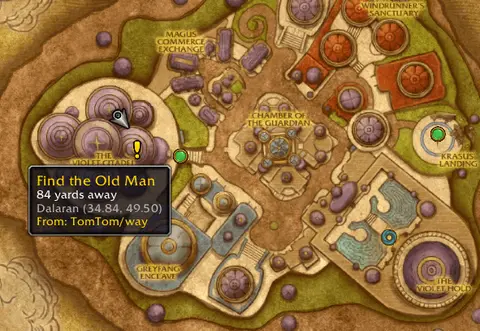
Shows another game version's interface; it looks much the same in WoW Forever.
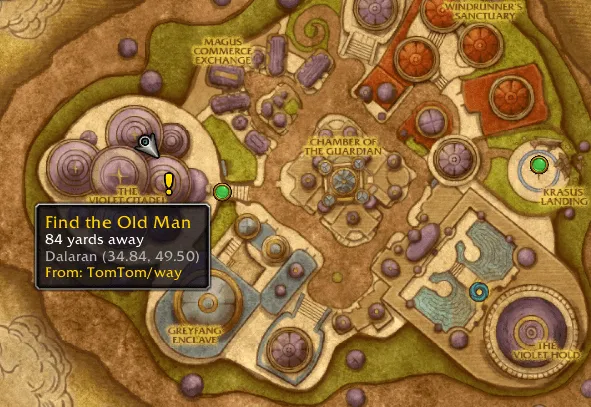
Pictures from the addon author's own project pages.
Installation
Download the WoW Forever file, extract it into _forever_/Interface/AddOns, then restart the game and enable it in the AddOns list.
_forever_/Interface/AddOnsConfiguration
Commands
/waySets a waypoint, written as /way <zone> <x> <y> <note>./twayDoes the same as /way, for when another addon already uses /way (/tomtomway works too)./tomtomway localLists all waypoints in your current zone.
First setup
- Type /way followed by a zone and coordinates, for example ones from a guide: the arrow appears and points there.
- Drag the coordinate display to where you want it and set how precise it is.
- You can also place waypoints by clicking the world map.
Advanced settings
- Paste a list of /way lines to add several waypoints at once.
Common mistakes
- If /way does something else, another addon has taken it: use /tway or /tomtomway instead.
Compatibility by version
| Game version | Status | Verified release | Checked |
|---|---|---|---|
| WoW Classic | Compatible | v4.3.13-releaseOct 24, 2026 | Oct 29, 2026 |
| WoW TBC | Compatible | v4.3.13-releaseOct 24, 2026 | Oct 29, 2026 |
| WoW WotLK | Unverified
| v4.3.13-releaseOct 24, 2026 | Oct 29, 2026 |
| WoW Forever | Compatible | v4.3.13-releaseOct 24, 2026 | Oct 29, 2026 |