


Leatrix Maps for WoW Forever — Addons · WoW Forever
Improves the world map: shows unexplored areas, adds points of interest and coordinates, and lets you move and scale it.
CompatibleVerified Oct 29, 2026
Its current release ships a version for this client.
- Verified release
- 1.60.25-forever
- Category
- Maps and minimap
- Author
- Leatrix
- License
- All Rights Reserved
Download
These are the addon author's own pages on other sites. Download only from them, and never run an installer an addon page asks for.
Overview
Leatrix Maps makes the world map more useful while you travel. Areas you haven't explored yet are drawn in, so you can see the whole zone. Dungeons, flight points, boats, zeppelins and portals get their own markers, and the map shows your coordinates and the cursor's. You can also move and scale the map and keep your zoom level.
Who it's for
Anyone who uses the world map a lot, especially while leveling through zones they haven't explored.
Main features
- Unexplored areas shown on the world and battlefield maps
- Markers for dungeons, flight points, boats, zeppelins and portals
- Coordinates for you and your cursor
- A map you can move and scale, which keeps its zoom level
- Available in 10 languages
Screenshots
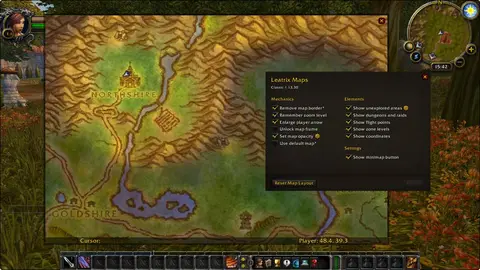
Shows another game version's interface; it looks much the same in WoW Forever.
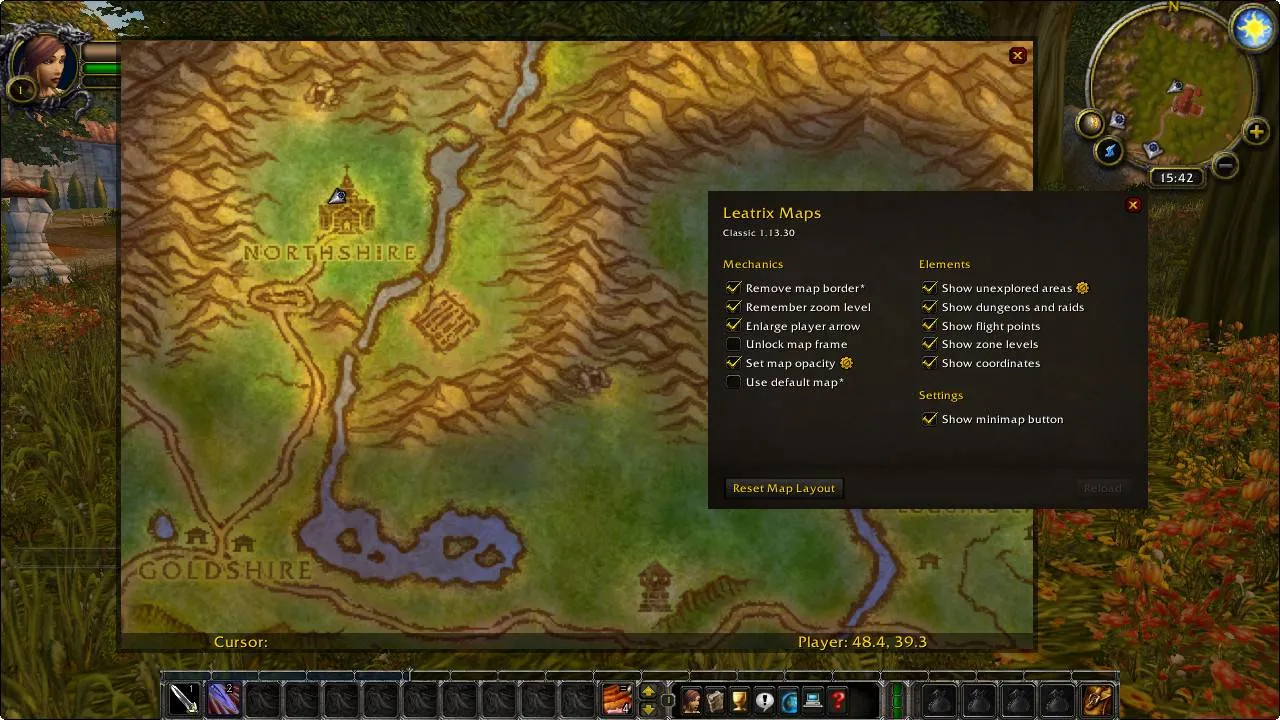
Pictures from the addon author's own project pages.
Installation
Download the WoW Forever file, extract it into _forever_/Interface/AddOns, then restart the game and enable it in the AddOns list.
_forever_/Interface/AddOnsConfiguration
Commands
/ltmOpens or closes the Leatrix Maps panel./ltm resetMoves the panel back to the middle of the screen./ltm wipeResets all its settings and reloads the interface.
First setup
- Type /ltm to open its panel.
- Turn on the features you want: unexplored areas, points of interest and coordinates.
- Move and scale the map to fit your screen.
Common mistakes
- If the panel ends up off screen, don't reinstall: /ltm reset puts it back in the middle.
Compatibility by version
| Game version | Status | Verified release | Checked |
|---|---|---|---|
| WoW Classic | Compatible | 1.15.163-classicOct 28, 2026 | Oct 29, 2026 |
| WoW TBC | Compatible | 2.5.47-bccOct 28, 2026 | Oct 29, 2026 |
| WoW Forever | Compatible | 1.60.25-foreverOct 21, 2026 | Oct 29, 2026 |
Alternatives
 MapsterCompatible
Mapster is a simple map mod whose current release is only for Forever; Leatrix Maps has a download for Classic Era, TBC and Forever.