


WeaponSwingTimer SixxFix for WoW Classic — Addons · WoW Classic
Swing and Auto Shot timer bars: a bug-fixed fork of WeaponSwingTimer, focused on the hunter timer.
UnverifiedVerified Oct 29, 2026
Not confirmed for this client's current patch. Check the download page before installing.
- Verified release
- SoD v7.5.2
- Category
- Class tools, Swing and spell timers
- Class
- Hunter
- Author
- WatchYourSixx (fork of WeaponSwingTimer by LeftHandedGlove)
- License
- GPL-3.0
Download
These are the addon author's own pages on other sites. Download only from them, and never run an installer an addon page asks for.
In WoW Classic
- Its newest Classic Era build (SoD v7.5.2) is for patch 1.15.8, so the game lists it as Out of date in 1.15.9 until it's updated.
Overview
WeaponSwingTimer SixxFix shows when your next melee swing or Auto Shot will go off. It is a fork of WeaponSwingTimer that fixes bugs, especially in the hunter timer, and it comes as a separate build for each game version.
Who it's for
Hunters who time their shots around Auto Shot.
Main features
- Swing and Auto Shot timer bars
- Fixes for the hunter timer of the original WeaponSwingTimer
- A separate build for each game version
Screenshots
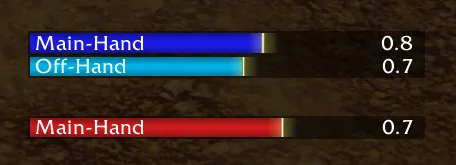

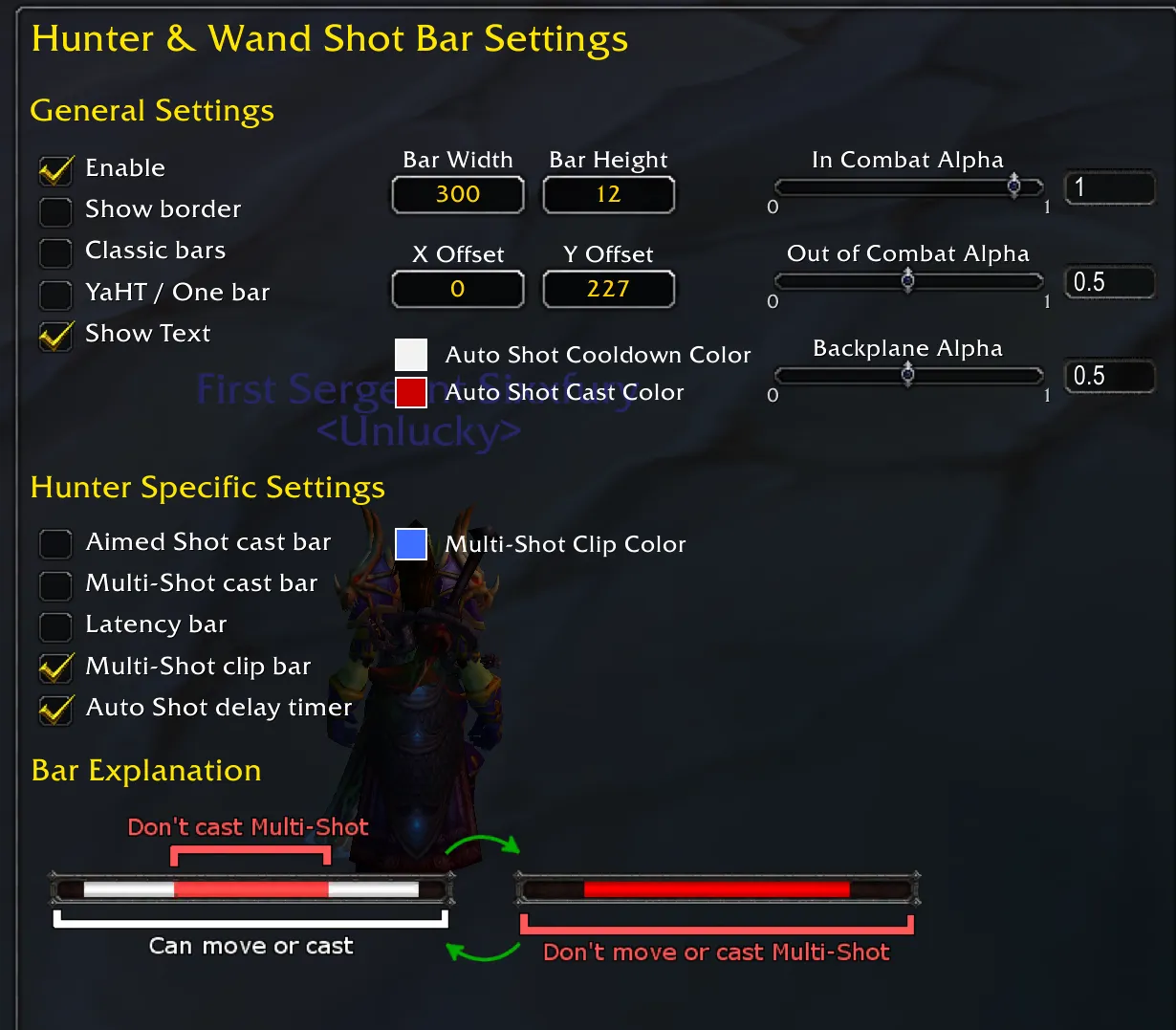
Pictures from the addon author's own project pages.
Installation
Download the WoW Classic file, extract it into _classic_era_/Interface/AddOns, then restart the game and enable it in the AddOns list.
_classic_era_/Interface/AddOnsConfiguration
First setup
- Install the build for your game version: the file names say which one it is (SoD for Classic Era, TBC, Forever).
- Place the timer bars where you can watch them while you fight.
Compatibility by version
| Game version | Status | Verified release | Checked |
|---|---|---|---|
| WoW Classic | Unverified
| SoD v7.5.2Jan 31, 2026 | Oct 29, 2026 |
| WoW TBC | Compatible | TBC v6.7.4Sep 26, 2026 | Oct 29, 2026 |
| WoW Forever | Compatible | Forever v1.60.1Sep 25, 2026 | Oct 29, 2026 |