


Questie for WoW Classic — Addons · WoW Classic
Marks quest givers, objectives and turn-ins on your map and minimap, from a database of every quest in the game.
CompatibleVerified Oct 29, 2026
Its current release ships a version for this client.
- Verified release
- v12.3.1
- Interface
- 11509
- Category
- Quest helpers, Maps and minimap
- Author
- Aero, Logon, Muehe, BreakBB, Drejjmit, Dyaxler, Cheeq
Download
These are the addon author's own pages on other sites. Download only from them, and never run an installer an addon page asks for.
Overview
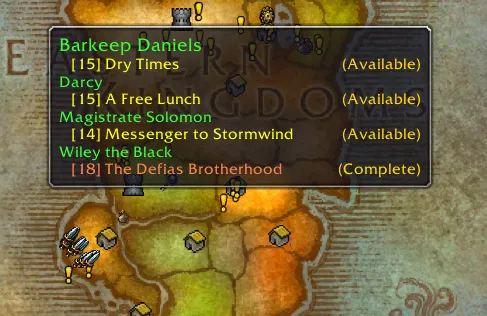
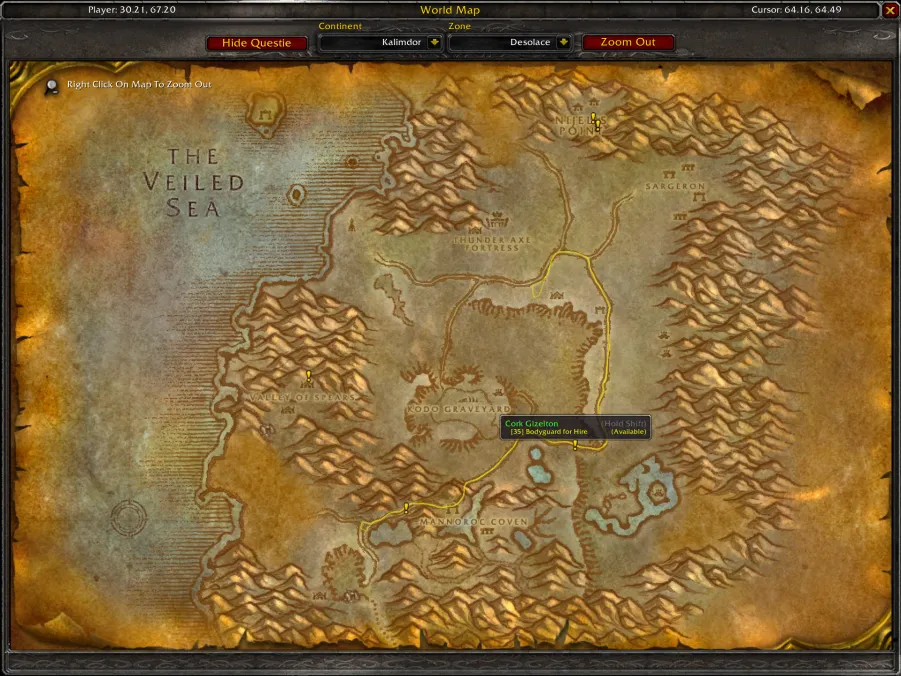
Classic-style quest text tells you to go "east of the farm" and little more. Questie fills the gap: it knows where every quest starts, where its mobs and items are and where to hand it in, and puts those places on the world map and minimap as you accept quests. It also tracks your quests on screen and shows which quests you can pick up nearby.
Who it's for
Anyone leveling, and especially players new to Classic-style quest text. Many experienced players keep it on too, to see available quests in a zone at a glance.
Main features
- Map and minimap markers for quest givers, objectives and turn-ins
- A quest tracker that follows the quests you accept
- Party members' quest progress in tooltips
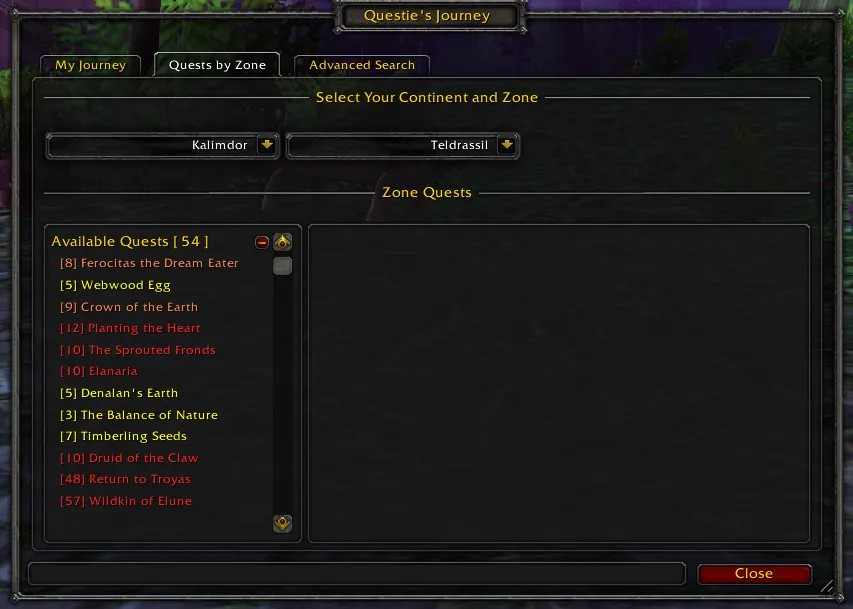
- My Journey, a log of the quests you've done
- A searchable database of quests, NPCs and items
Limitations
- It shows where to go, not the best order to do quests in: a leveling guide addon does that.
- Markers for low-level quests can crowd the map; its options can hide them.
Screenshots
Pictures from the addon author's own project pages.
Installation
Download the WoW Classic file, extract it into _classic_era_/Interface/AddOns, then restart the game and enable it in the AddOns list.
_classic_era_/Interface/AddOnsWorks with
- TomTom is optional: Questie can use its arrow to point you to an objective.
Configuration
Commands
/questieOpens Questie's options./questie journeyOpens My Journey, with quests by zone and the database search.
First setup
- Accept a quest and open the map: its objectives are marked.
- Open /questie and choose which markers to show on the map and minimap.
- If the map gets crowded, turn on hiding quests far below your level.
Advanced settings
- Set the tracker's position and size, or turn it off if you use another quest tracker.
Common mistakes
- Running two quest helpers at once: their markers and trackers overlap.
Known issues
- After a game patch the AddOns list may mark Questie Out of date until you update it: update rather than loading it anyway, since its database changes with the game.
Compatibility by version
| Game version | Status | Verified release | Checked |
|---|---|---|---|
| WoW Classic | Compatible | v12.3.1Oct 26, 2026 | Oct 29, 2026 |
| WoW TBC | Compatible | v12.3.1Oct 26, 2026 | Oct 29, 2026 |
| WoW WotLK | Unverified
| v12.3.1Oct 26, 2026 | Oct 29, 2026 |
| WoW Forever | Compatible | v12.3.1Oct 26, 2026 | Oct 29, 2026 |
Alternatives
 GuidelimeCompatible
Guidelime follows a written leveling route step by step; Questie marks every quest around you and leaves the order to you.
 RestedXP GuidesCompatible
RestedXP Guides gives a route with step-by-step guidance (its full guides are paid); Questie is free and shows every quest on the map.