


Prat 3.0 for WoW Classic — Addons · WoW Classic
Chat window improvements built from more than 30 modules you can switch on or off.
CompatibleVerified Oct 29, 2026
Its current release ships a version for this client.
- Verified release
- 3.9.113
- Interface
- 11509
- Category
- Chat
- Author
- Sylvanaar, MysticalOS, plusmouse, QartemisT
Download
These are the addon author's own pages on other sites. Download only from them, and never run an installer an addon page asks for.
Overview
Prat 3.0 adds to the chat window through more than 30 separate modules. Each one can be turned on or off, so you keep only the changes you want and leave the rest of the chat as it is.
Who it's for
Players who chat a lot or want more control over how the chat looks and behaves.
Main features
- More than 30 chat modules
- Each module turned on or off on its own
- A menu opened with /prat or from a data broker icon
Screenshots
![Chat frame with Prat's timestamps, a shortened [DPS] channel name and player names colored by class](/addons/screenshots/prat-1-480.webp)
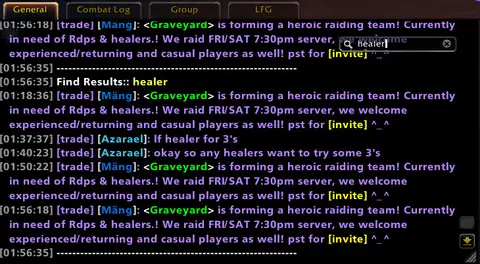
Shows another game version's interface; it looks much the same in WoW Classic.
![Chat frame with Prat's timestamps, a shortened [DPS] channel name and player names colored by class](/addons/screenshots/prat-1.webp)
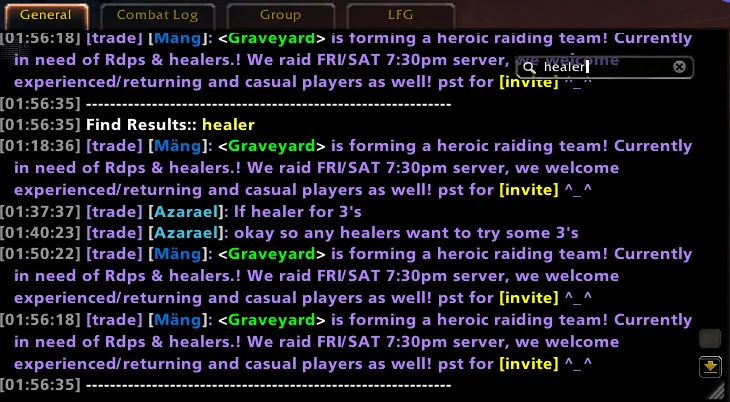
Pictures from the addon author's own project pages.
Installation
Download the WoW Classic file, extract it into _classic_era_/Interface/AddOns, then restart the game and enable it in the AddOns list.
_classic_era_/Interface/AddOnsConfiguration
Commands
/pratOpens the Prat menu.
First setup
- Type /prat to open the menu.
- Go through the modules and turn on the ones you want, for example timestamps, class colors or copying chat text.
- Turn off the modules you don't use.
Advanced settings
- Its most CPU-heavy features come in a separate module folder that you can enable or disable as a whole.
Common mistakes
- Changing the same thing (timestamps, colors) in two chat addons: keep each feature in one addon.
Compatibility by version
| Game version | Status | Verified release | Checked |
|---|---|---|---|
| WoW Classic | Compatible | 3.9.113Oct 14, 2026 | Oct 29, 2026 |
| WoW TBC | Compatible | 3.9.113Oct 14, 2026 | Oct 29, 2026 |
| WoW WotLK | Compatible | 3.9.113Oct 14, 2026 | Oct 29, 2026 |
| WoW Forever | Compatible | 3.9.113Oct 14, 2026 | Oct 29, 2026 |