


ClassicCastbars for WoW Classic — Addons · WoW Classic
Customizable cast bars for your target and focus, with optional party and nameplate cast bars.
UnverifiedVerified Oct 29, 2026
Not confirmed for this client's current patch. Check the download page before installing.
- Verified release
- v1.9.1
- Category
- Cast bars
- Author
- Wardz
- License
- MIT
Download
These are the addon author's own pages on other sites. Download only from them, and never run an installer an addon page asks for.
In WoW Classic
- Its newest Classic Era file is for patch 1.15.8, so the game lists it as Out of date in 1.15.9 until it's updated.
- Since patch 1.15.0 Classic Era shows enemy cast bars on its own (Options > Interface > Show Enemy Cast Bar); the addon is only needed to customize them.
Overview
ClassicCastbars shows what your target is casting in a cast bar you can customize, and can add cast bars to party frames and nameplates too. It also alerts you to spell school lockouts. In Classic Era the game has shown enemy cast bars on its own since patch 1.15.0, so there the addon is only needed for its extra options.
Who it's for
Players who interrupt or react to enemy casts, in PvP and in dungeons.
Main features
- Customizable cast bars for your target
- Optional cast bars on party frames and nameplates
- Alerts for spell school lockouts
Limitations
- Its author has put it in maintenance mode, so updates come less often.
Screenshots
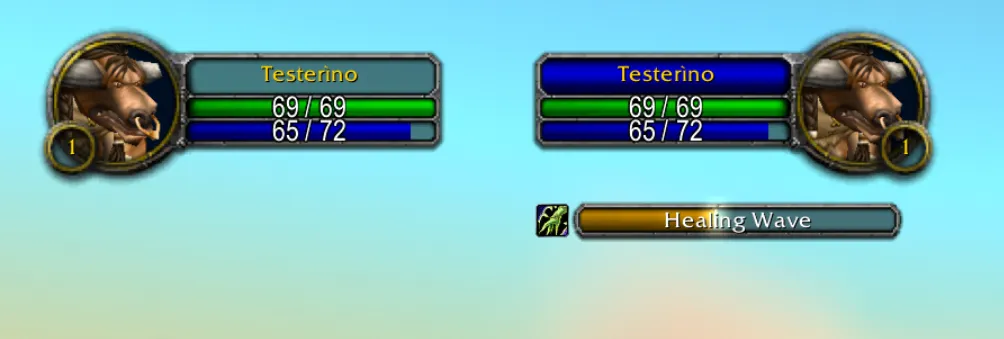
Pictures from the addon author's own project pages.
Installation
Download the WoW Classic file, extract it into _classic_era_/Interface/AddOns, then restart the game and enable it in the AddOns list.
_classic_era_/Interface/AddOnsConfiguration
Commands
/castbarOpens the options panel.
First setup
- Type /castbar to open its options.
- Turn on party and nameplate cast bars if you want them.
- Adjust how the target cast bar looks.
Common mistakes
- Using it in Classic Era only to see enemy casts: the game's own option (Options > Interface > Show Enemy Cast Bar) does that.
Compatibility by version
| Game version | Status | Verified release | Checked |
|---|---|---|---|
| WoW Classic | Unverified
| v1.9.1Jul 11, 2026 | Oct 29, 2026 |
| WoW TBC | Compatible | v1.9.1Jul 11, 2026 | Oct 29, 2026 |
| WoW WotLK | Compatible | v1.9.1Jul 11, 2026 | Oct 29, 2026 |