


ThreatClassic2 for WoW TBC — Addons · WoW TBC
A threat meter that shows your threat and your group's on your current target.
CompatibleVerified Oct 29, 2026
Its current release ships a version for this client.
- Verified release
- 2.75
- Interface
- 20506
- Category
- Threat meters
- Author
- dfherr
Download
These are the addon author's own pages on other sites. Download only from them, and never run an installer an addon page asks for.
Overview
ThreatClassic2 lists how much threat you and your party or raid have on your target, so you can see when you're about to pull aggro. A bar shows how much threat it takes to pull (110% in melee, 130% at range), and it can play a sound or flash the screen when you cross a threshold. Tanks get a tank mode, and in Classic a healer mode shows your target's target.
Who it's for
Damage dealers and healers who don't want to pull aggro, and tanks watching their threat.
Main features
- A threat list for your target, including party and raid members
- A pull-aggro bar (110% in melee, 130% at range)
- Sound and screen-flash warnings at threat thresholds, plus a tank mode
- A healer mode that shows your target's target (Classic only)
- A look you can customize through LibSharedMedia
Screenshots
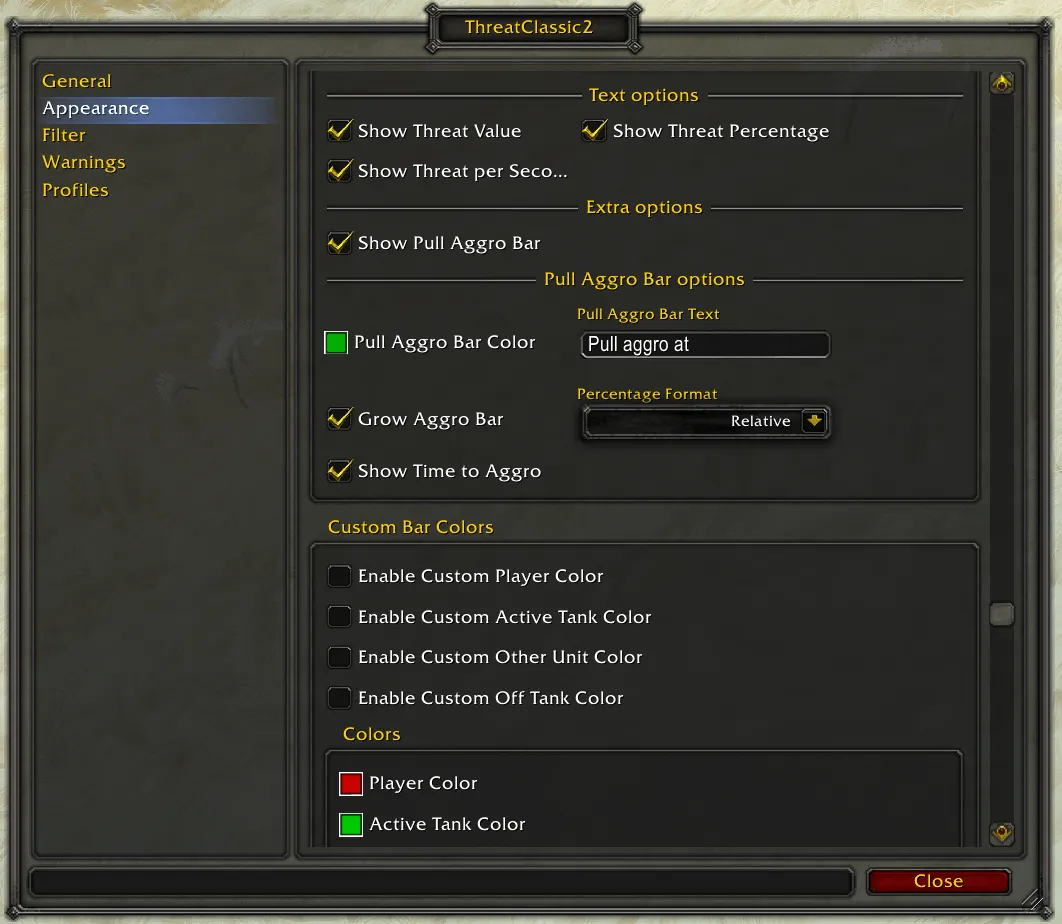
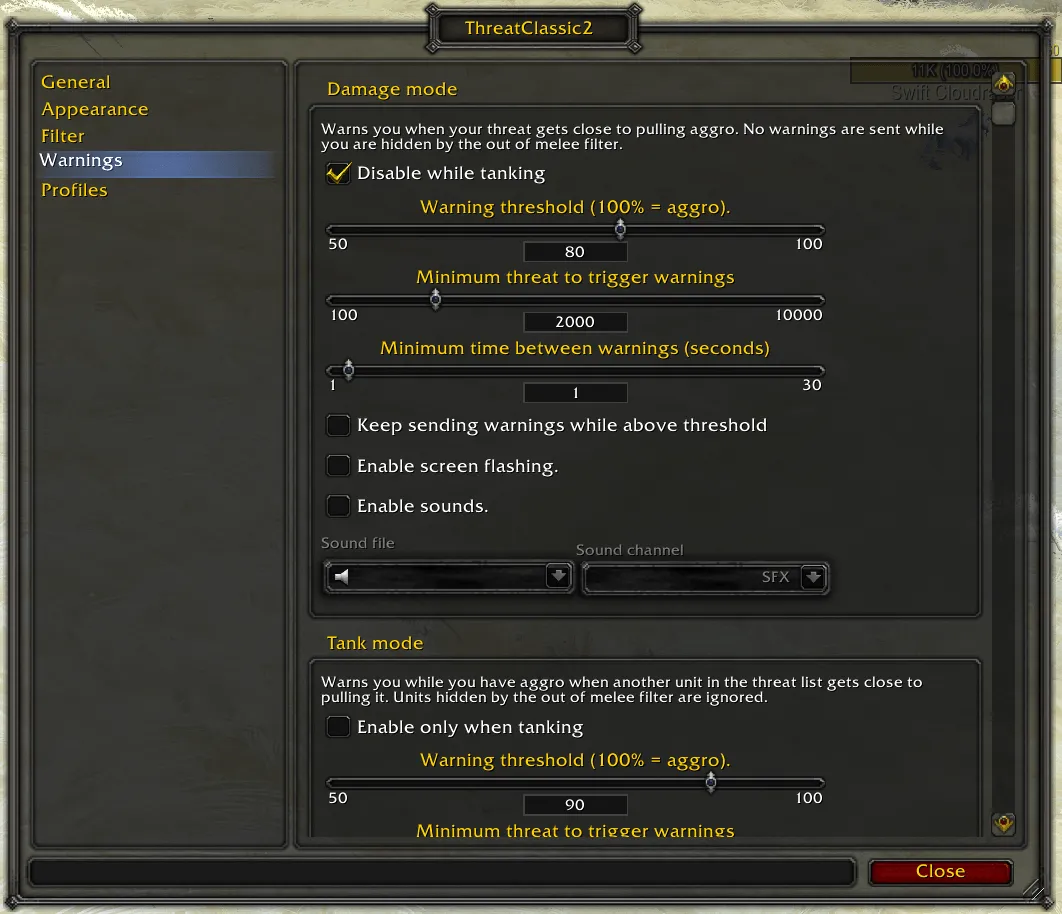
Pictures from the addon author's own project pages.
Installation
Download the WoW TBC file, extract it into _anniversary_/Interface/AddOns, then restart the game and enable it in the AddOns list.
_anniversary_/Interface/AddOnsConfiguration
Commands
/tc2Opens the options./tc2 toggleShows or hides the threat window./tc2 versionPrints the installed version.
First setup
- Type /tc2 to open the options.
- Set the warning thresholds and choose a sound, a screen flash or both.
- If you tank, turn on tank mode.
Advanced settings
- Choose when the window shows, for example hidden out of combat or when you're solo.
Known issues
- Other players don't show at the start of a fight: the game only reports an enemy's threat once you're on its threat table, for example after you've hit it.
Compatibility by version
| Game version | Status | Verified release | Checked |
|---|---|---|---|
| WoW Classic | Compatible | 2.75Oct 10, 2026 | Oct 29, 2026 |
| WoW TBC | Compatible | 2.75Oct 10, 2026 | Oct 29, 2026 |
| WoW Forever | Partially compatible
| 2.75Oct 10, 2026 | Oct 29, 2026 |