


Grid2 for WoW TBC — Addons · WoW TBC
Light, fully customizable party and raid frames built from indicators and statuses.
CompatibleVerified Oct 29, 2026
Its current release ships a version for this client.
- Verified release
- 2.9.36
- Interface
- 20506
- Category
- Raid frames
- Author
- michaelnpsp
Download
These are the addon author's own pages on other sites. Download only from them, and never run an installer an addon page asks for.
Overview
Grid2 replaces the party and raid frames with frames you build yourself. Each frame holds indicators (icons, bars, text and more) that you can place anywhere on it, and you choose which of its many statuses each indicator shows. Raid debuff modules come with it but are off by default.
Who it's for
Players who want party and raid frames laid out exactly their way, healers especially.
Main features
- Indicators (icons, bars, text and more) placed anywhere on the frame
- A large set of statuses to show on them
- Raid debuff modules, off by default
- Low CPU use, according to its author
Screenshots
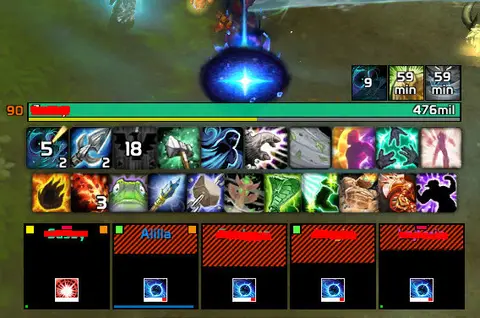
Shows another game version's interface; it looks much the same in WoW TBC.
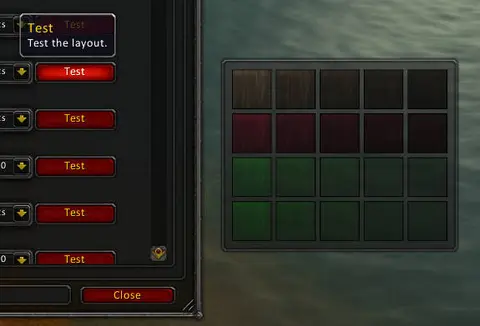
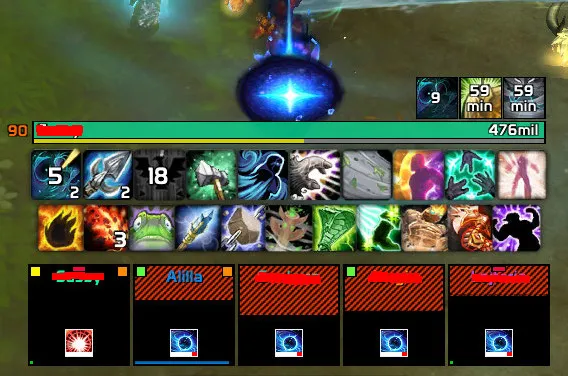
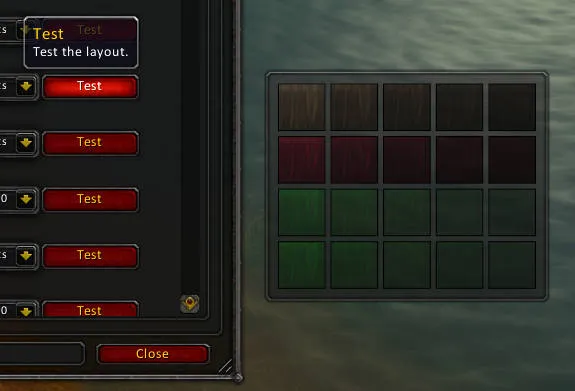
Pictures from the addon author's own project pages.
Installation
Download the WoW TBC file, extract it into _anniversary_/Interface/AddOns, then restart the game and enable it in the AddOns list.
_anniversary_/Interface/AddOnsConfiguration
Commands
/grid2Opens the configuration.
First setup
- Type /grid2 (or left-click its minimap icon) to open the configuration.
- Look through the indicators and statuses: many statuses are not on by default.
- Turn on the raid debuff module for the content you run.
Known issues
- Raid debuffs don't show: they're off by default. Turn on a module under Statuses > Raid Debuffs, then re-enter the instance or reload the interface.
- No mana bars: they aren't created by default. Add a bar indicator and map the mana or power status to it.
Compatibility by version
| Game version | Status | Verified release | Checked |
|---|---|---|---|
| WoW Classic | Compatible | 2.9.36Oct 22, 2026 | Oct 29, 2026 |
| WoW TBC | Compatible | 2.9.36Oct 22, 2026 | Oct 29, 2026 |
Alternatives
 VuhDoCompatible
VuhDo is built around click-healing for healers; Grid2 is built around indicators and statuses you place on each frame.
 HealBot ContinuedCompatible
HealBot is built around click-to-heal frames and ships over 80 skins; Grid2 is built around indicators and statuses you place yourself.
 CellCompatible
Cell switches layouts by spec or role and has click-casting and raid tools built in; Grid2 focuses on indicators and statuses.