


Gladdy for WoW TBC — Addons · WoW TBC
Configurable arena enemy frames with announcements, cast bars and click bindings.
CompatibleVerified Oct 29, 2026
Its current release ships a version for this client.
- Verified release
- v2.725-Release
- Interface
- 20506
- Category
- Arena
- Author
- XiconQoo, DnB_Junkee, Knall
Overview
Gladdy gives each arena opponent a frame with class and spec icons, cast bars, auras and interrupts, and announces events such as drinking, trinket use and spec detection. You can also bind spells or macros to clicks on the frames. Its author supports it only for TBC and Wrath Classic arenas.
Who it's for
Arena players in TBC and Wrath.
Main features
- Arena enemy frames with class and spec icons
- Announcements for drinking, trinket use and spec detection
- Cast bars, auras and interrupts on the frames
- Spells or macros bound to clicks on the frames
Limitations
- Its author supports it only for TBC and Wrath Classic: there is no Classic Era or Forever version.
Screenshots
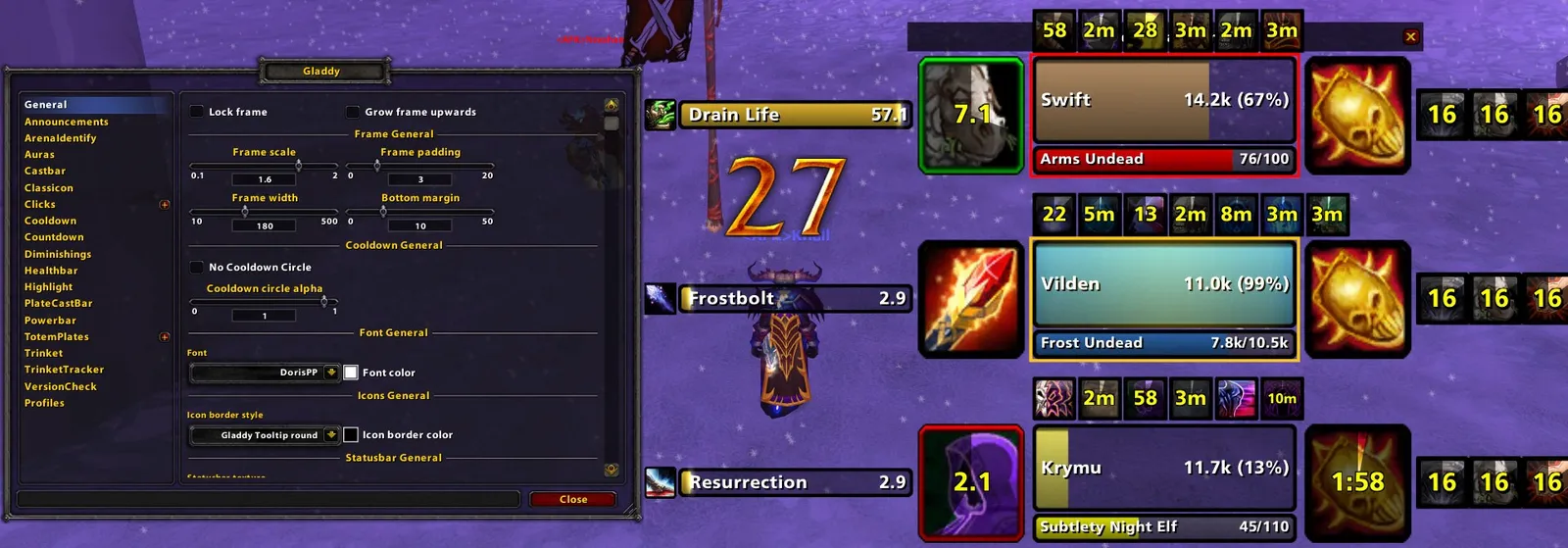
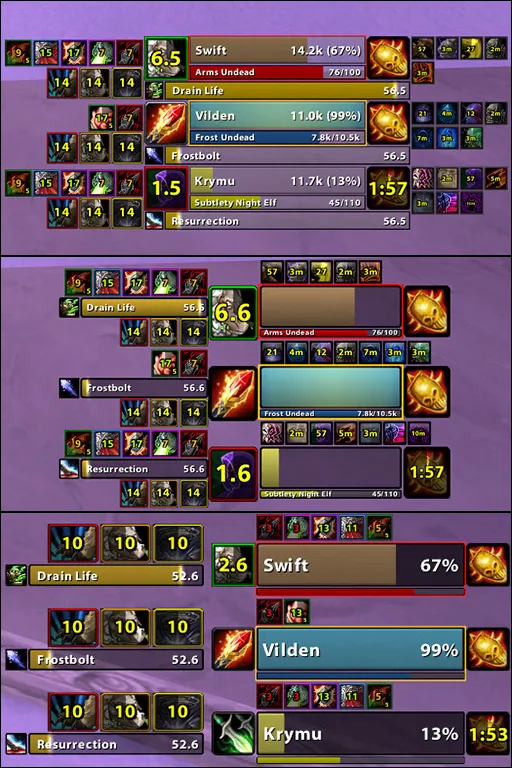
Pictures from the addon author's own project pages.
Installation
Download the WoW TBC file, extract it into _anniversary_/Interface/AddOns, then restart the game and enable it in the AddOns list.
_anniversary_/Interface/AddOnsConfiguration
Commands
/gladdy uiOpens the settings./gladdy testShows test frames for a 3v3 (/gladdy test1 to /gladdy test5 for 1 to 5 frames)./gladdy resetResets the current profile.
First setup
- Type /gladdy test to show test frames, then /gladdy ui to set them up.
- Arrange the frames and choose which parts to use, such as cast bars, auras and announcements.
Advanced settings
- Start from one of its predefined profiles if you don't want to set everything up yourself.
Compatibility by version
| Game version | Status | Verified release | Checked |
|---|---|---|---|
| WoW Classic | Incompatible
| — | Oct 29, 2026 |
| WoW TBC | Compatible | v2.725-Release | Oct 29, 2026 |
| WoW WotLK | Unverified
| v2.725-Release | Oct 29, 2026 |
| WoW Forever | Incompatible
| — | Oct 29, 2026 |
Alternatives
 sArena ReloadedCompatible
sArena Reloaded focuses on layouts, aura priority and indicators; Gladdy adds announcements and click bindings and supports only TBC and Wrath.